
To forward your domain to a URL, please follow these steps:
Step 1.
Log in to your Rebel account, then select "Products" in the top-left corner. In the top toolbar, you will see "Domains”. Please select this.
Step 2.
For the domain you would like to edit, click on the "Manage" button on the right-hand side.
Step 3.
In the upper left, you will see the two words "Manage" and "DNS". Select the "DNS" tab.
Step 4.
To forward a domain, you first need to point it to Rebel's nameservers. Underneath "DNS (Domain Name System)" you will see two options; please select "Stay with Rebel's nameserver".
Step 5.
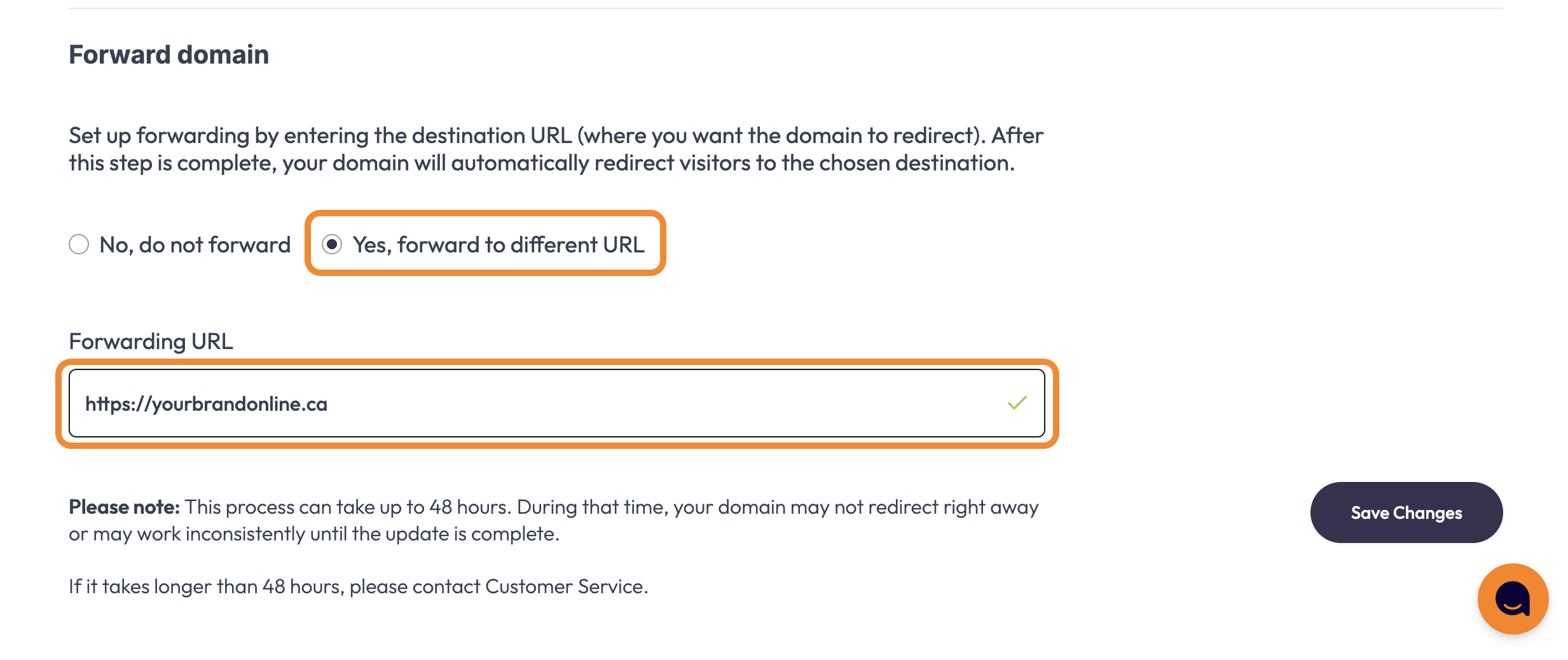
Underneath the previous section, you will see Forward domain, please select " Yes, forward to different URL". After clicking, a box will appear; please fill it in with the URL you want to forward your domain to.
Step 6.
Click "Save Changes" to the right of all of the information.
| Note: If you are switching the Nameserver Information from Use Third Party Hosting to Forwarding on our nameservers, these changes may take up to 24-48 hours to take effect due to DNS propagation, though we typically find it's closer to 6-12 hours. |
Comments
0 comments
Please sign in to leave a comment.