
This article covers:
Automatic Renewals
By default, domains are set to auto-renew. So, unless otherwise specified, your domain names should be on auto-renewal already. You can also confirm this by going to your domain manager, selecting all your domains, and clicking on "Export to CSV" in the top-right. This will allow you to export a list of your domains with additional information, including the auto-renewal status. Under Auto-renew, it will say false (off) or true (on.)
Rebel runs the first automatic renewal cycle 45 days before a domain's expiry date.
- When the renewal attempt is successful, an email confirming the renewal of the domain is sent to the primary email on file.
- When a renewal attempt fails, an email is sent to the account holder informing them of the failure and recommending that the billing information on the account be updated. Subsequent billing attempts occur at 3-day intervals. A total of four renewal attempts are made before the automatic renewal is turned off for a domain.
If you would like to turn auto-renewal off so that you can manually renew your domains yourself, please contact our support team at service@rebel.com.
Manual Renewals
If you would like to renew a single or multiple domains, please follow these steps.
Step 1.
Log in to your Rebel account, then select "Products" in the top-left corner. In the top toolbar, you will see "Domains”. Please select this.
Step 2.
Click on the check box next to the domain(s) you would like to renew. If you want to renew all of your domains, you are able to click "Select All" in the top left.
Step 3.
In the top right of your screen, you will see the option to "Renew", select this.
Step 4.
You will be taken to your shopping cart, where you can verify your order details, such as:
- The number of years you'd like to renew your domains, which can be found under the domain name itself.
- Payment method you would like to use, this is found on the left-hand side underneath Payment Methods.
Step 5.
To complete the transaction, there will be a drop-down menu on how you heard about us, underneath that, you can select "Process Order".
Selecting this button will mean you have accepted our terms and conditions, which can be found underneath if you would like to read. A confirmation will be sent to the primary email address on file for your account.
Quick Renewal
If you want to renew your domain but you are unable to log in to your account, please follow the steps below.
Step 1.
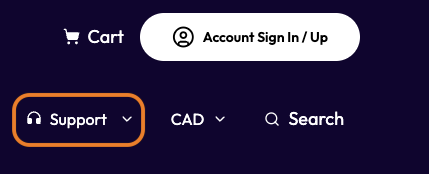
Go to Rebel.com and click "Support" in the top-right toolbar.
Step 2.
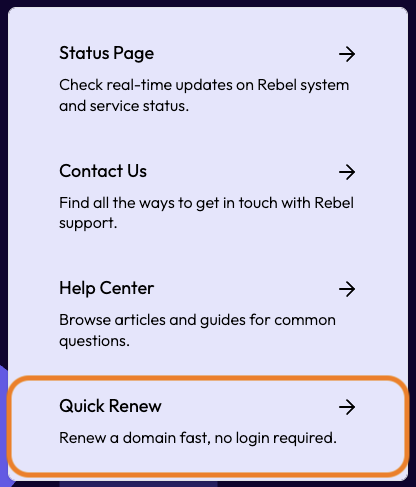
In the drop-down menu, you will see the option to "Quick Renew." Select this,
Step 3.
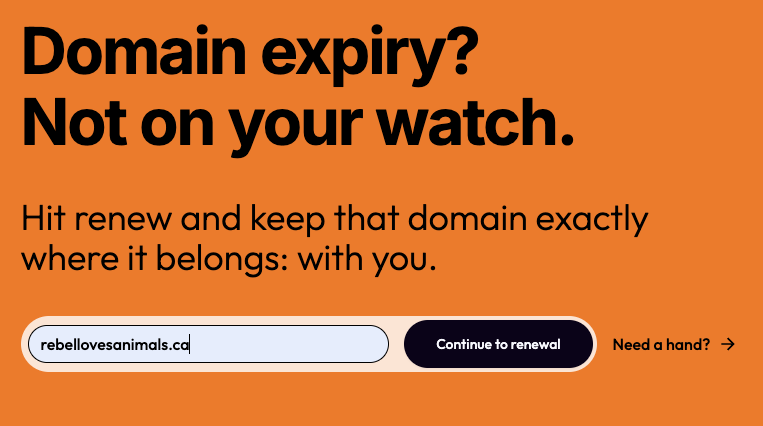
A search bar will appear; type in the domain you want to renew. Please ensure that the domain is registered with Rebel, or else it will not show up properly. Once you have typed it in, you will be able to select "Continue to renewal."
Step 4.
After searching the domain, you will see an area to fill out with your payment information, including the first and last name, card number, expiry date, and CVV. Once these fields are filled out please select Renew domain" You should
| Note: Our quick renew feature acts as a one-time payment for your domain's renewal. Your credit card details will not be saved to the account. A receipt and invoice will be generated; however, they are only accessible by logging into the account. |
Advanced Billing Notification
If you would like to receive email notifications regarding your domain renewal prior to your billing date please follow the steps below.
Step 1.
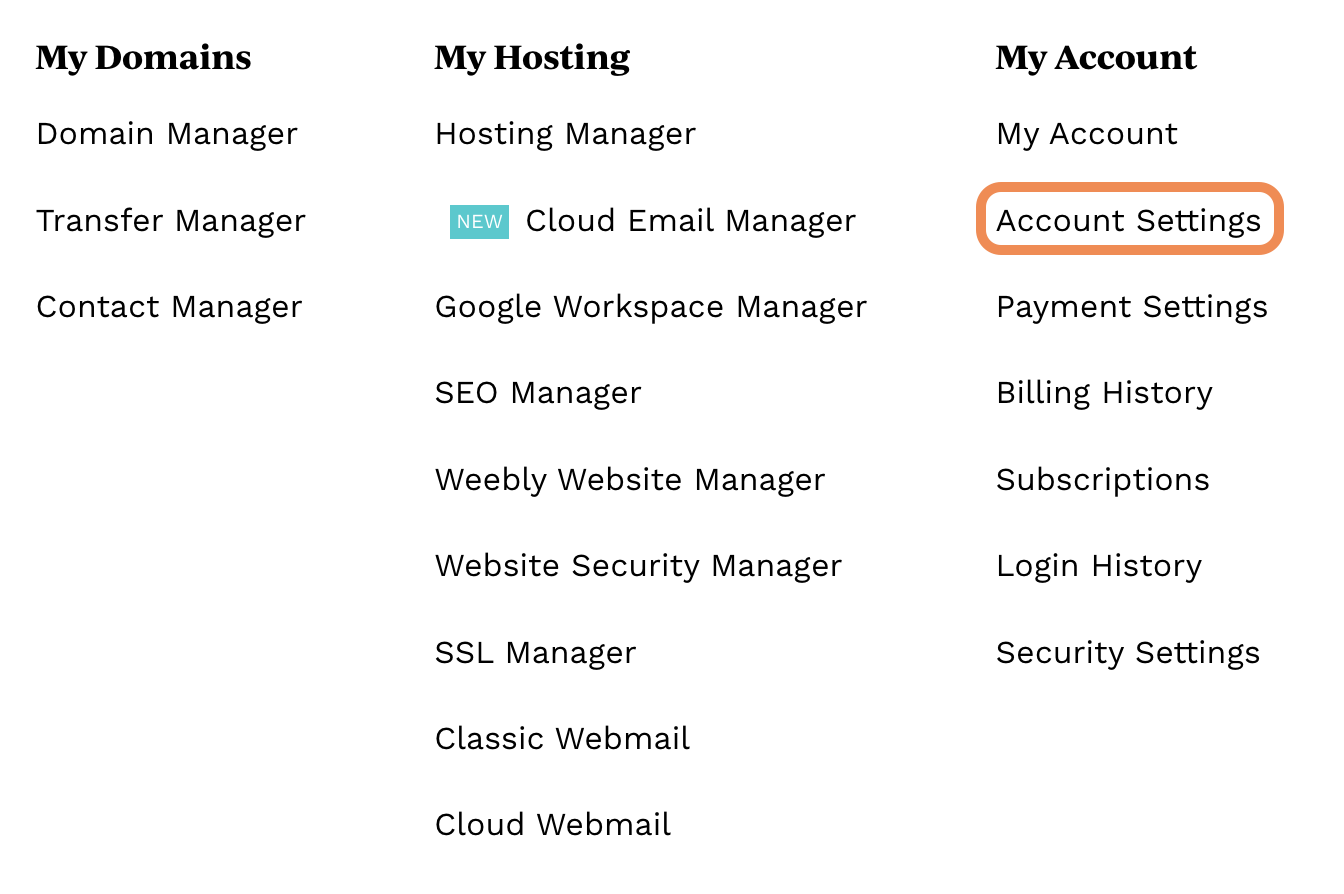
Log in to your Rebel account and click on "Account Settings". Alternatively, you can select "My Account" at the top right corner of the page and click "Account Settings" in the drop-down.
Step 2.
Scroll down to Notifications in the lower right-hand side and check the box to Send me an email notification before my next billing date. Notification will be sent to the primary email address on file for your account.
| Note: If you are renewing an expired domain , the update and return to service can take up to 24-48 hours to propagate worldwide, though we find it is typically much closer to 6-12 hours. |
Comments
0 comments
Please sign in to leave a comment.