
To export a list of your domains, please follow the steps below:
Step 1.
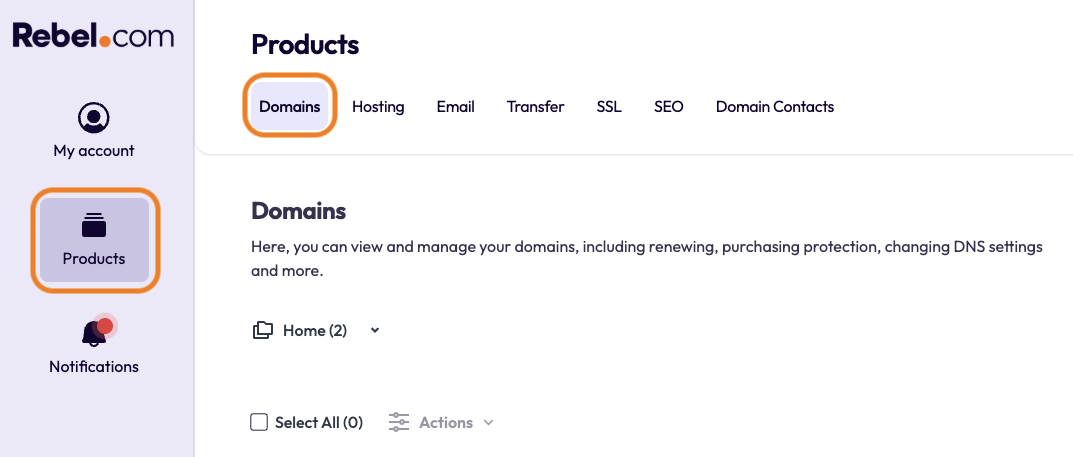
Log in to your Rebel account, then select "Products" in the top-left corner. In the top toolbar, you will see "Domains”. Please select this.
Step 2.
To export a list of all of your domains, click the "Select All" option in the top left above your domain names. Once this is selected, on the right-hand side, there will be an "Export to CSV"; click this.
By exporting this list, it will include the following information for all selected domains:
- Domain Name
- TLD
- Portfolio
- Status
- Expiry Date
- DNS
- Ownership Protection
- Expiry Protection
- Privacy Protection
- Premium
- Auto Renewal
Comments
0 comments
Please sign in to leave a comment.