
We are pleased to offer PayPal as an alternative payment method to all Rebel accounts. To connect PayPal to your Rebel account, please follow these steps:
Step 1.
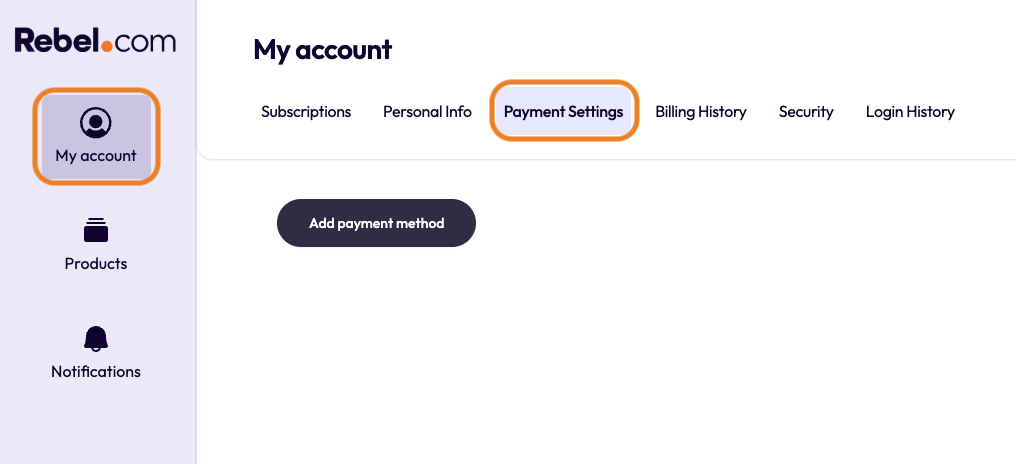
Log in to your Rebel account and click on "My Account" in the left-side tool bar. Then click "Payment Settings" in the upper menu.
Step 2.
You will see your current cards on file. At the bottom click the “Add Payment Method” button.
Step 3.
A field will appear where you can enter your card details. Just below it, you’ll also see an option to select “PayPal.” Click this if you’d prefer to use PayPal instead.
Step 4.
Login to your PayPal account if you already have one, or create a PayPal account.
Once the box is selected, click Connect PayPal. A pop-up window will load, and will then prompt you to sign in to your PayPal account.
If you would like to make your PayPal account your primary payment method to pay for any new purchases or renewing payments, please follow the steps in our article How do I update my payment information?
Comments
0 comments
Please sign in to leave a comment.